Events
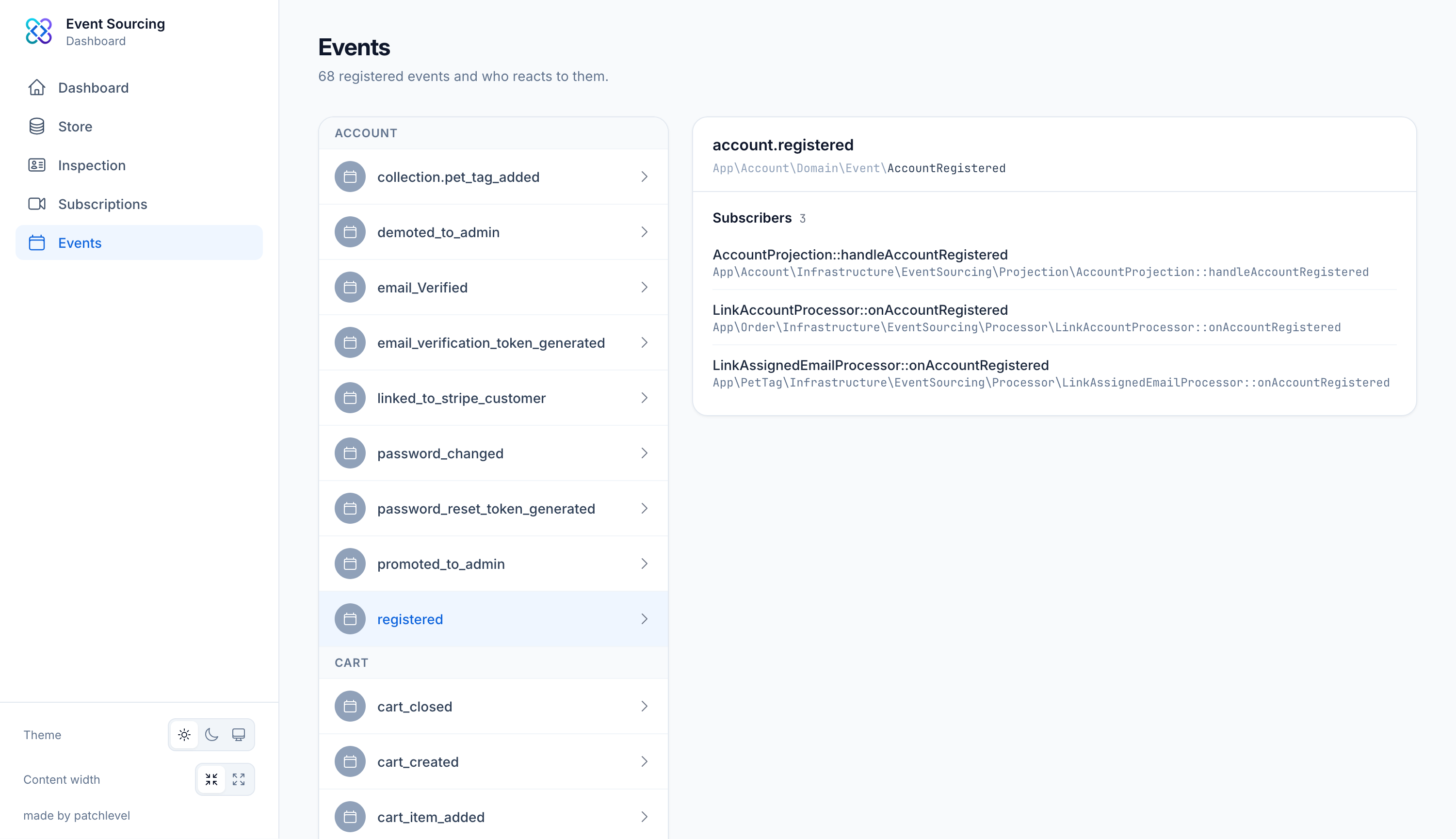
The events view lists every event that is registered in your application through the event
registry. For each event it also shows which parts of your system react to it, so you can see the
flow from an event to its consumers at a glance. With the #[Inspect] attribute you can also
control how each event is rendered across the dashboard.
What you see
Each entry shows:
- the registered event name, for example
guest_is_checked_in - the fully qualified event class
- the subscribers whose
#[Subscribe]methods handle this event
Subscribers that listen to every event with #[Subscribe(Subscribe::ALL)] appear on each event, so
you can tell that a catch-all subscriber such as an audit log will process a given event too.
Listeners are only listed if an event bus with a listener provider is configured. When no listener provider is available, the listeners column is omitted rather than shown as empty.
Why it is useful
When you record a new event it is easy to lose track of everything that reacts to it. This view answers that question directly: pick an event and you immediately see every subscriber and listener that will run, which helps when adding new projections or debugging why a side effect did or did not happen.
Use the store to find a concrete occurrence of an event, then come back here to see everything that consumes it.
Customizing how events are displayed
By default events are rendered with their registered name. With the #[Inspect] attribute you can
give an event a human readable description, an icon and a color, so the store and
inspection views become much easier to scan. Add the attribute to an event class,
where every argument is optional:
use Patchlevel\EventSourcing\Attribute\Event;
use Patchlevel\EventSourcingDashboardBundle\Attribute\Inspect;
use Patchlevel\EventSourcingDashboardBundle\Color;

#[Event('guest_is_checked_in')]
#[Inspect(
    description: 'Guest checked into room',
    icon: 'user-plus',
    color: Color::Green,
)]
final class GuestIsCheckedIn
{
    public function __construct(
        public readonly string $name,
        public readonly int $room,
    ) {
    }
}
The arguments are:
description: the text shown for the event, with support for expressions and light markdown (see below).icon: the name of a Heroicon, for exampleuser-plusorbolt.color: a color for the icon, either aColorenum case or a hex string like#00c950.size: an optional size hint for the icon.
Dynamic descriptions
The description is a template. Anything inside {{ ... }} is evaluated with the Symfony
expression language, with the
event available as event. This lets you build a description from the event's own data:
use Patchlevel\EventSourcing\Attribute\Event;
use Patchlevel\EventSourcingDashboardBundle\Attribute\Inspect;

#[Event('guest_is_checked_in')]
#[Inspect(description: 'Guest **{{ event.name }}** checked into room {{ event.room }}')]
final class GuestIsCheckedIn
{
    public function __construct(
        public readonly string $name,
        public readonly int $room,
    ) {
    }
}
You can also apply light markdown: **text** becomes bold and *text* becomes italic.
The expression is evaluated against the deserialized event object, so you can call methods and read properties on it just like in PHP.
Colors
The Color enum offers the Tailwind CSS color palette as named cases, such as Color::Green,
Color::Sky or Color::Rose. Use a case for consistency with the dashboard's styling, or pass a
raw hex string when you need an exact value:
use Patchlevel\EventSourcing\Attribute\Event;
use Patchlevel\EventSourcingDashboardBundle\Attribute\Inspect;
use Patchlevel\EventSourcingDashboardBundle\Color;

#[Event('guest_is_checked_in')]
#[Inspect(icon: 'arrow-right-on-rectangle', color: Color::Rose)]
final class GuestIsCheckedIn
{
    public function __construct()
    {
    }
}